


Save Huge On All Islamic Journals


6 Digital Islamic Journals Bundle
Couldn't load pickup availability
Shop Digital Islamic Journals
Slow down, reflect, and bring meaning back into your worship through Islamic journaling!
-

 SAVE $2.01
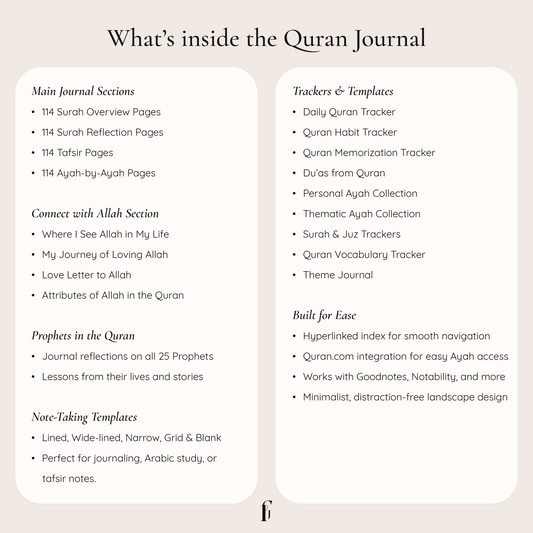
Digital Quran Journal
Regular price From $11.99Regular price From $11.99 Sale priceUnit price per$14.0014% -
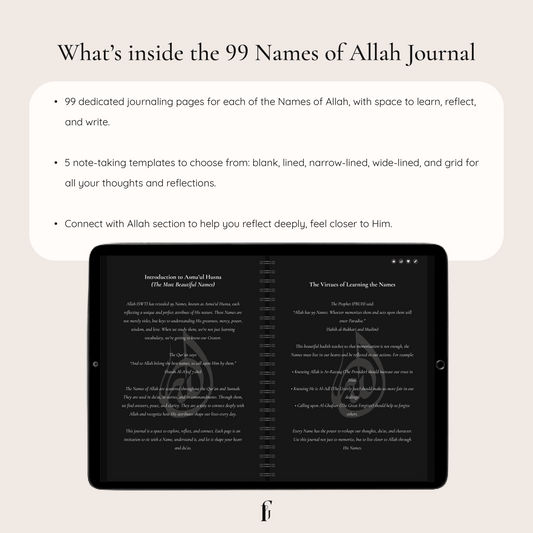
99 Names of Allah Digital Journal
Regular price From $9.99Regular price From $9.99 Sale priceUnit price per$11.9916% -

 SAVE $1
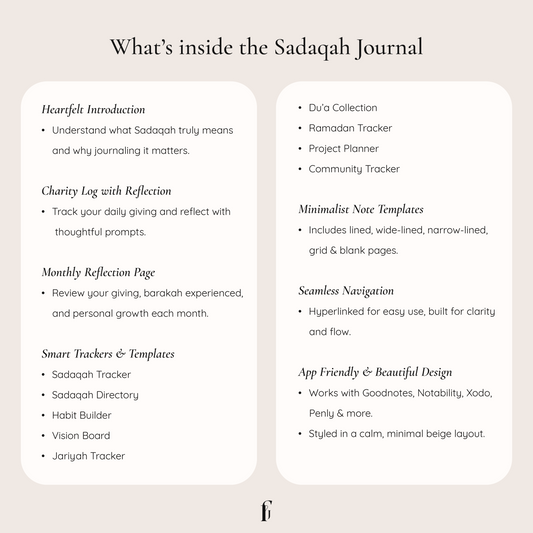
Digital Sadaqah Journal
Regular price From $9.99Regular price From $9.99 Sale priceUnit price per$10.999% -

 SAVE $1
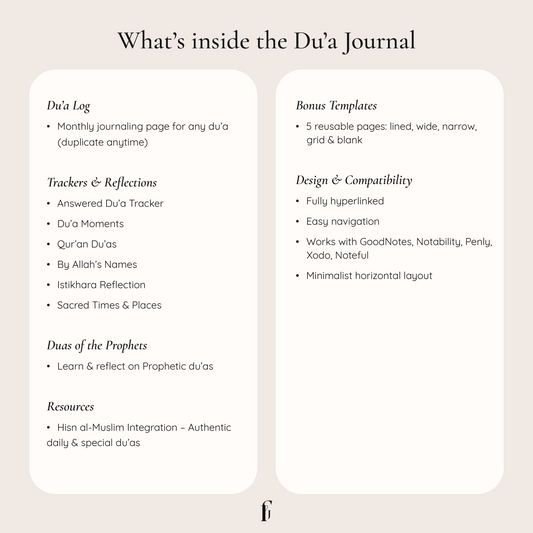
Digital Du'a Journal
Regular price From $9.99Regular price From $9.99 Sale priceUnit price per$10.999% -
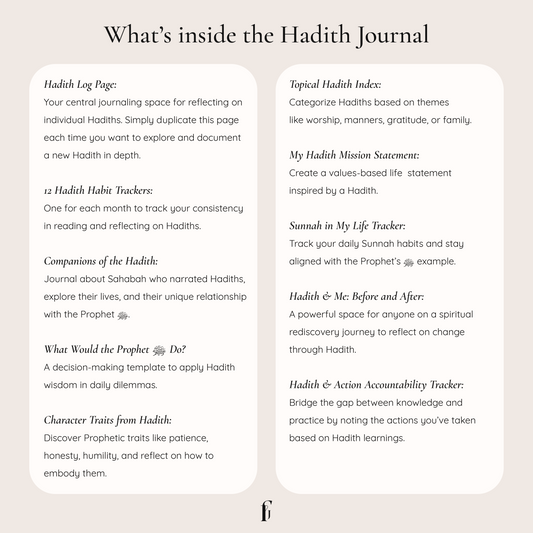
Living the Hadith Digital Journal
Regular price From $9.99Regular price From $9.99 Sale priceUnit price per$10.999% -

 SAVE $2
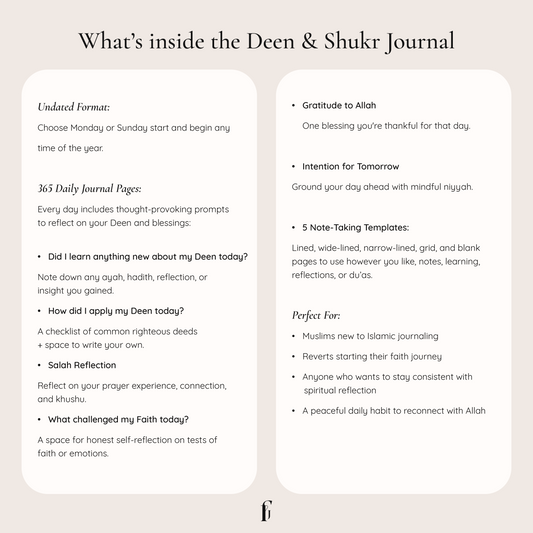
Daily Deen and Shukr Journal
Regular price From $9.99Regular price From $9.99 Sale priceUnit price per$11.9916%





In Simple 4 Steps
How Digital Journaling Works
Step 1
Step 1
Get your iPad or any Android tablet, and a compatible stylus
Step 2
Step 2
Download your journal instantly
Step 3
Step 3
Import your journal into Goodnotes or your favourite app
Step 4
Step 4
Start writing and make it yours
Digital Vs Physical Journal



Frequently Asked Questions
New to digital journaling? Here are the answers to the questions we hear most often.
A digital journal is a PDF file that you write on using your iPad or Android tablet with a stylus. You open it inside a note taking app like Goodnotes, and from there you can write, and reflect, just like a paper journal, except it never runs out of space and can be reused as many times as you like.
You will need a tablet such as an iPad or Android tablet, a stylus, and a note taking app like Goodnotes or Notability. Once you have those, you simply import your journal and start writing. A helpful beginner's setup guide is also included with every purchase to walk you through it.
Our journals work with all major note-taking apps including Goodnotes, Notability, Noteful, Penly, and others, on both iPad and Android tablets.
Yes. You pay once and the journal is yours forever, with no subscriptions or recurring fees. You can reuse it as many times as you like by simply duplicating the pages.
Right after checkout you can download your files instantly, and a copy is also sent to your email. You will also receive a simple guide to help you get started, which is especially handy if this is your first digital journal.